
Guide
Glass Shop Software: A Guide to Glass Tracking Software for Glass Shops

Many glass shops start out with a notebook, a calculator and a phone. As the business grows, the number of orders rises, customer prices multiply, insulated and tempered orders increase, and the notebook stops being enough. In this article we explain what glass shop software is for, what should be put in order first and which questions to ask when choosing glass tracking software.
When is a notebook no longer enough?
If several of these happen every day, it is time to move your orders into a program:
- Answering "where is this order?" means checking the notebook, the phone and messages,
- Different people quote the same customer different prices,
- m² and linear metres are calculated by hand and the minimum m² is forgotten,
- Nobody knows which glass has been cut and which is out of tempering or IGU assembly,
- Delivered glass is typed into invoices by hand.
Orders and prices: the first order of business
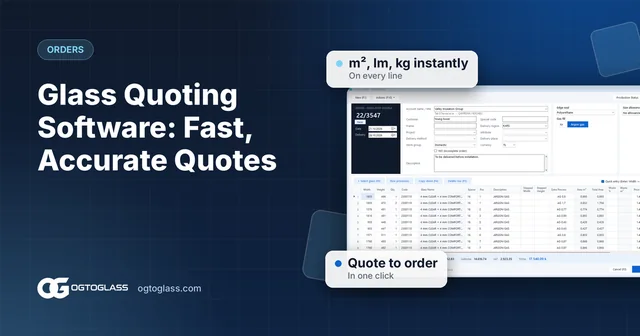
The first thing glass shop software has to put in order is the order line. In OGTOGLASS an order is entered as Width → Height → Quantity without taking your hands off the keyboard; area (m²), weight (kg), perimeter (linear metres) and amount are calculated as you type, and the minimum m² rule is applied.
On pricing, a customer-specific price comes in automatically if there is one; otherwise the product's standard price is used, so everyone quotes the same customer the same price. Extra operations such as drilling, sandblasting, argon and bonding are added to the line and their quantities are calculated from the glass. A quote turns into an order with one key, and the order form, production form and glass label are printed.
Glass tracking: where is the order?
Once orders are entered, the second step is being able to see where an order is. In the OGTOGLASS order list, statuses are colour-coded: waiting, in production, ready, completed, overdue, cancelled. With date, type and status filters and instant search as you type, the order you are looking for is found in seconds.
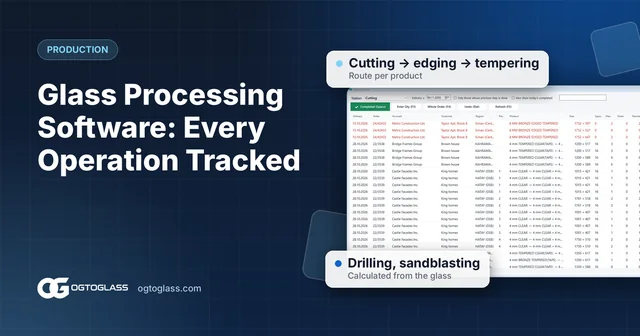
In production every product has a route (for example cutting → edging → tempering → IGU assembly). Each station sees its own waiting glass and marks it "done" with one key. When a customer calls, the station their order is at is one click away. More in our glass production tracking article.
Delivery and invoicing
Ready glass moves to the ready-to-ship list; fully ready and partly ready orders are colour-coded. All orders of the same customer are combined on one dispatch note and the delivery note is printed. Dispatch notes are transferred to your accounting software, so invoices do not have to be retyped.
Try the OGTOGLASS glass software
Let us give you a short demo using your shop's own orders.
Start small, grow later
When choosing software for a glass shop, think about tomorrow's needs as well as today's. Two people may enter orders today, but tomorrow you may want screens at the stations; you may have no dealers today, but tomorrow you may start taking orders from dealers.
- OGTOGLASS can be used on several computers at the same time; the number of users depends on the licence.
- There are administrator, office, production and shipping roles; every user's actions are recorded under their name.
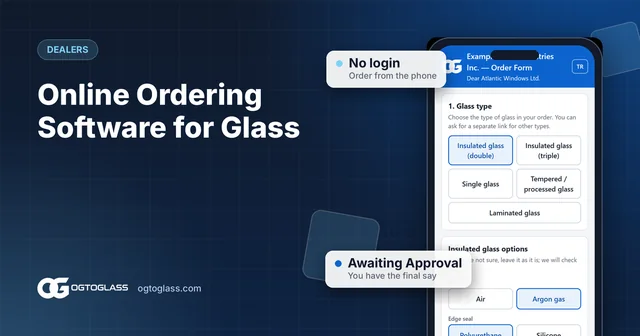
- When you have dealers, they enter orders from their phones with the dealer order link.
- When switching from Excel or an old program, customer accounts, products, prices and open orders are transferred.
If you produce insulated, tempered or laminated glass, see our insulated glass software, tempered glass software and laminated glass software pages for details by glass type.
6 questions when choosing glass shop software
- Does it speak the glazier's language? Are terms such as spacer, gas, edge sealant, edging and IGU assembly in the program?
- Does it calculate m², linear metres and extras itself? Are the minimum m² rule and items such as argon and bonding automatic?
- Does it keep customer-specific prices? Prices should come from the customer account, not from whoever is quoting.
- Does it show where the order is? Production status and overdue orders should be visible at a glance.
- Does it transfer to accounting? Shipped glass should not be typed into invoices by hand.
- Where is your data? In OGTOGLASS, data is kept in a SQL Server database on your own server.
For a more detailed checklist, see our what is glass order software? article, and for what sets the price, our glass software pricing article.
Frequently asked questions
What is glass shop software?
Glass shop software is a program in which glass shops and glass companies record quotes and orders as width, height and quantity, calculate m² and amount automatically and track where an order is in production and delivery. OGTOGLASS does this in one program together with orders, production, shipping and accounting transfer.
Does a small glass shop need glass tracking software?
Yes, once orders start getting lost in notebooks and phone calls, prices vary from person to person and customers call to ask "what happened to my order?". You can start with a small number of users; in OGTOGLASS the number of users depends on the licence.
Which computers does glass shop software run on?
OGTOGLASS is a desktop program for Windows 10 / 11 computers; its database is SQL Server on the company's own server, and it can be used on several computers at the same time.
Try the OGTOGLASS glass software
We will give you a short demo using your own orders.