

Pre-accounting · optional package
Pre-accounting for glass companies: from order to collection in one program
The answer to "Who owes how much, and what is overdue?" no longer lives in separate notebooks. The invoice for shipped glass, the customer's balance, cheques and cash are in the same program as the order.
One-click invoice from a dispatch note
Shipped glass goes onto the invoice at the price entered on the order; nobody retypes it.
- Sales, purchase and return invoices, posted to the customer balance and stock automatically.
- One-click invoice from a dispatch note; combine one customer's notes or issue a month-end batch invoice per customer.
- Uninvoiced dispatch notes show on the home screen, so no shipment is left without an invoice.
- Note: official e-invoice / e-archive submission is not available yet; invoices are prepared and printed in the program.
Account statements, payment terms and credit limits
All of a customer's transactions and its running balance on one screen.
- Account statement: invoices, payments, cheques and running balance; period debit / credit and risk at the top.
- Payment terms, invoice discount and credit limit on the customer card.
- A warning on order save when the limit is exceeded; if you choose, the order is not saved.
- Enter a collection or payment from the statement, open documents, export to Excel and print.
Overdue receivables at a glance
Your receivables split into not yet due, 1–30, 31–60, 61–90 and 90+ days.
- Receivables and payables by aging bucket; the oldest due date and days overdue on each customer's row.
- Payments are applied to the oldest debt first; double-click for open items.
- Reconciliation letters and payment reminders for the customers you select.
- Receivables, overdue amounts and the next 7 days' cheques on the home screen.
Cheques, notes, cash and bank transactions
The cheque in your portfolio and the money in the bank, in the same place.
- Cheques / notes: portfolio, endorse, send to bank for collection, collect, bounced, return; items coming due and overdue.
- Cash / bank / POS: collections, payments, transfers and expenses (rent, electricity, fuel… item by item); running balance.
- A wrong transaction is deleted but leaves a trace; the correct one is entered again.
- Stock: in with purchase invoices, out with sales invoices; stock count and carry-over slips.
The weeks ahead and the months behind
See which week money gets tight and which glass earns you the most.
- Cash flow: expected collections, payments and cash / bank balance for the next 12 weeks; the week with the lowest balance.
- Income / expense: sales, purchases and expenses by item and month; net profit and margin.
- Product profitability: sales of each glass type, cost at average purchase price, gross profit and margin.
About the pre-accounting package
Who is the pre-accounting package for?
For companies that want to follow invoices, collections and customer accounts inside the glass software instead of transferring to separate accounting software. With the package on, invoices are issued in OGTOGLASS.
Does it send official e-invoices?
No, official e-invoice / e-archive submission is not available yet. Invoices are prepared and printed in the program.
Can the package be added later?
Yes. When the Pre-accounting package is added to your licence it appears in the menu; your orders, customer accounts and dispatch notes stay in the same database.
How does the credit limit work?
A credit limit is entered on the customer card. When the customer exceeds its limit, the program warns when the order is saved; if you choose, the order is not saved at all.
In-depth guides: Pre-accounting for glass companies · Receivables and collection tracking
More features
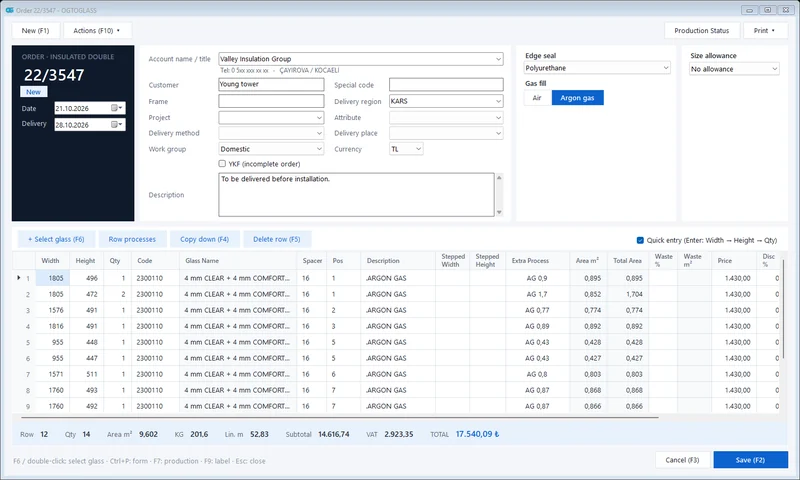 Order management
Insulated, single, laminated and processed glass orders; m², kg and amount calculated instantly.
Explore
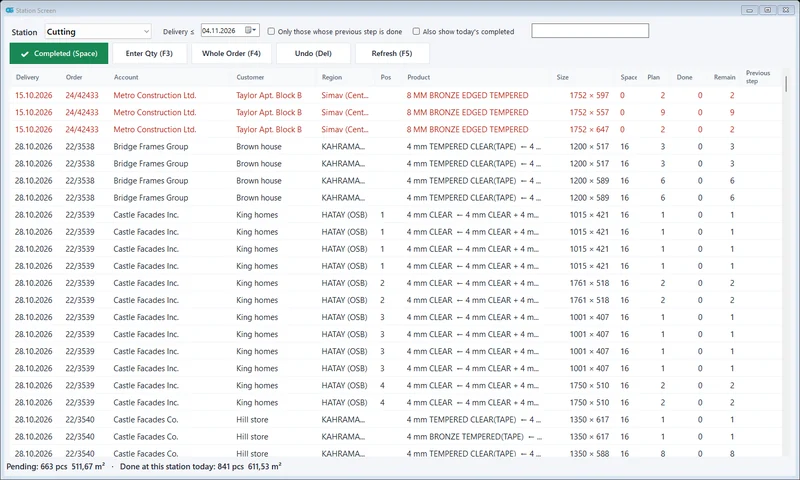 Production tracking
Cutting → edging → tempering → IGU assembly; which glass is at which station, at a glance.
Explore
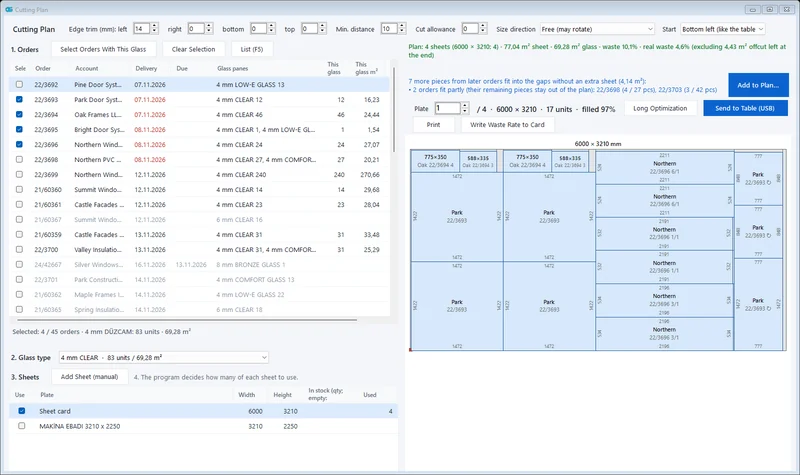 Cutting plan
Tick the orders; the program picks which sheets to use, draws the plan and sends it to the table.
Explore
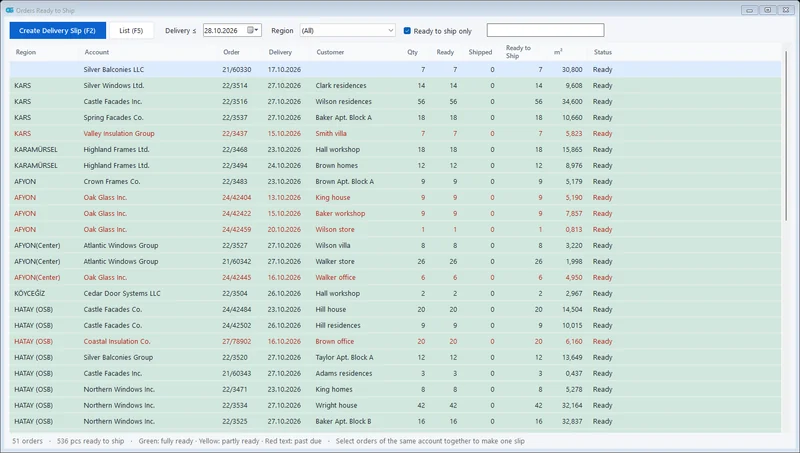 Shipping and delivery notes
Orders ready to ship in one list; all orders of the same customer on one dispatch note.
Explore
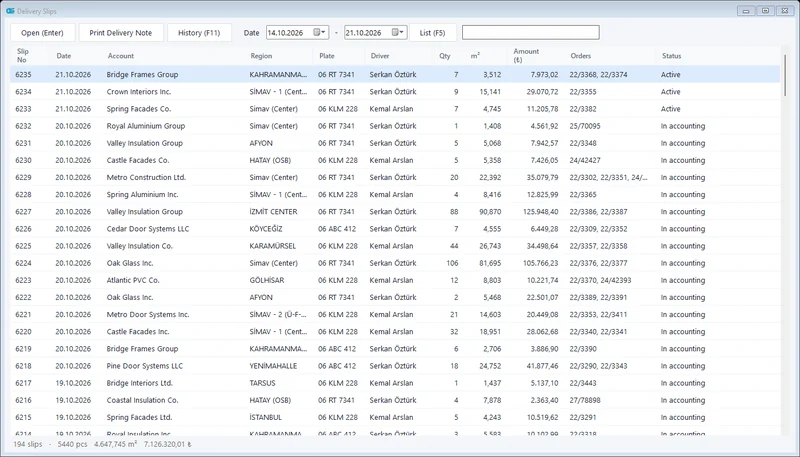 Accounting integration
Shipped glass is transferred to accounting as a delivery note / invoice; no more retyping.
Explore
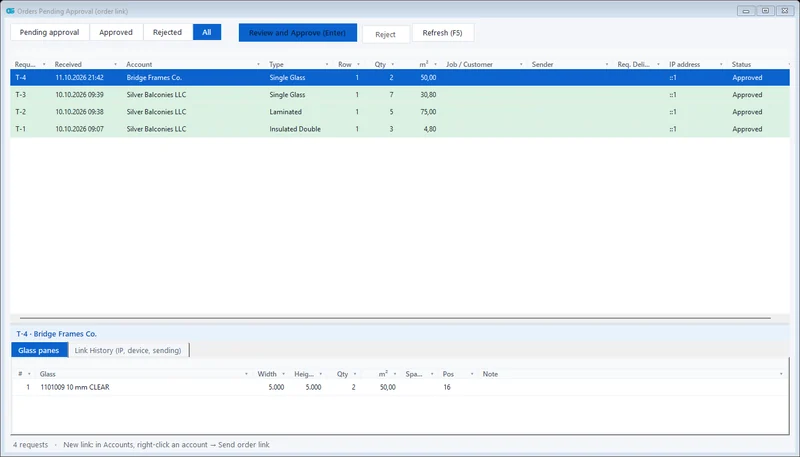 Dealer order link
With a single-use link, no login needed; the order lands in your approval queue.
Explore
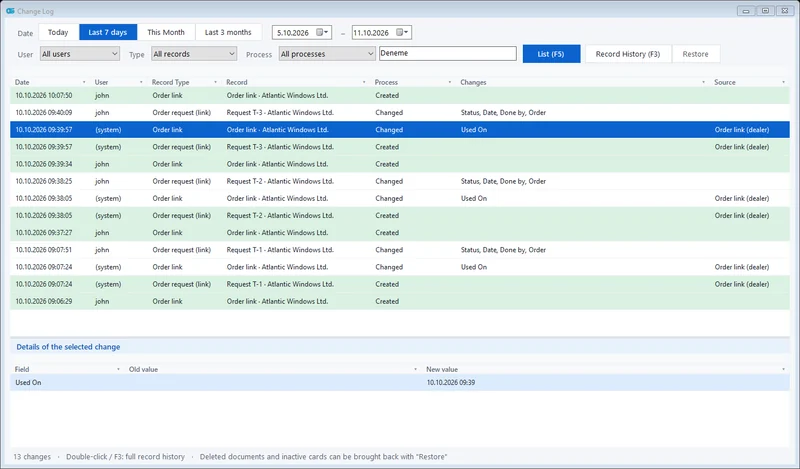 Change tracking and permissions
Who changed what and when; deleted records can be restored. Role-based users.
Explore
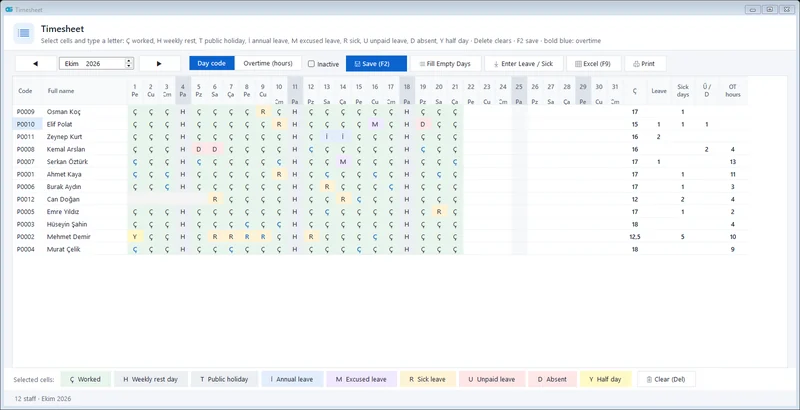 Staff and timesheets
Monthly timesheets, annual leave entitlement, overtime, advances and pay summary. Optional package.
Explore
 Reports
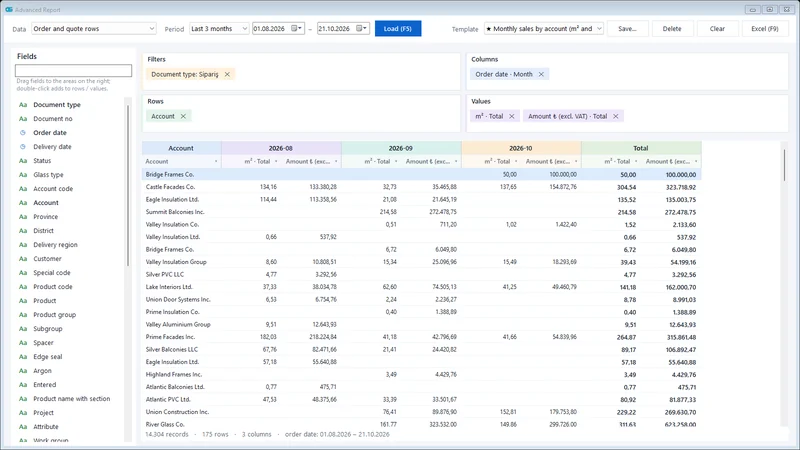
Ready-made reports by topic; build your own pivot report by dragging fields, export to Excel.
Explore
Is it right for your company? Let's find out together.
We will give you a short demo using your own orders and plan the move from your current program.