Tempered glass software

Tempered glass software: catch mistakes before the furnace

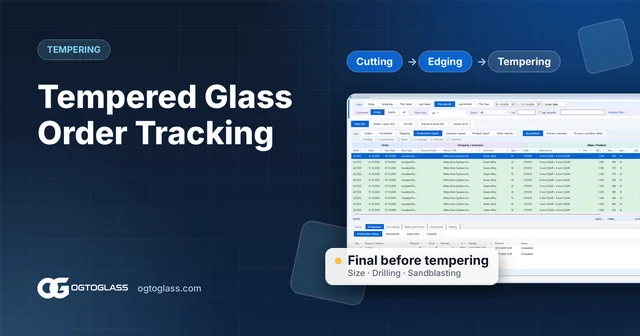
Tempered glass cannot be cut or drilled. OGTOGLASS records the size, manufacturing allowance and operations of a tempered glass order before tempering; panes are tracked station by station from cutting to tempering, and ready glass ships on one dispatch note.

Sound familiar?

Three problems tempered glass producers face every day

"Did the hole position change?"

When sizes and operations changed over the phone reach production too late, tempered glass ends up in the bin.


"Is it out of tempering?"

When a customer calls, nobody knows whether the glass is in the furnace or at edging.

"Half the order is ready, now what?"

Partly ready orders and missing panes get mixed up at shipping.

Example production route

  • Cutting
  • Edging
  • Tempering

Stations and routes are defined to match your line; for tempered IGUs, IGU assembly follows tempering.

Tempered glass order

Size, allowance and operations on record before tempering

  • Tempered orders as width × height × quantity; m², kg and amount calculated instantly, minimum m² rule applied.
  • Manufacturing size: plus / minus allowance in total or edge by edge (detailed); price from the order or manufacturing size.
  • Drilling, sandblasting and other extra operations are added to the line; quantities are calculated from the glass.
  • Attached documents such as drawings, photos and PDFs sit in the order details.
  • Order form, production form and glass label are printed from the same data.
Tempering route

Cutting → edging → tempering: every pane in its own order

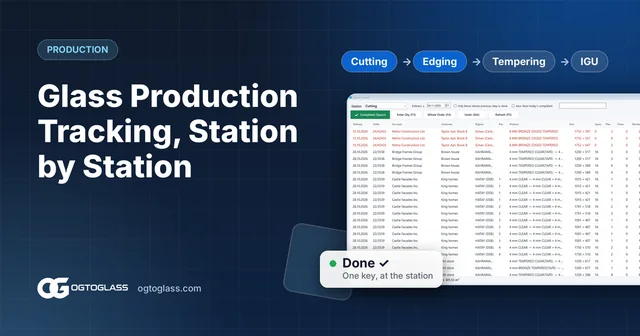
  • A production route is defined for every product: for example cutting → edging → tempering → IGU assembly.
  • With "Only items whose previous step is finished", the tempering station sees only glass whose edging is complete.
  • Mark glass "done" at the station with one key or enter a partial quantity; orders that come out of the furnace in parts are tracked correctly.
  • The home screen shows work waiting at stations (m²): how much is piling up in front of the tempering furnace, at a glance.
Change tracking

Who changed what, and when?

Last-minute changes are never lost.

  • Field-by-field history: "Delivery date 07.10 → 09.10", "Line 3: 4 pcs → 5 pcs".
  • Every record shows who created it, who last changed it and who deleted it.
  • Records are never deleted; an administrator sees them in the "Change Log" screen and can restore them.
Shipping

Partly ready orders stay sorted

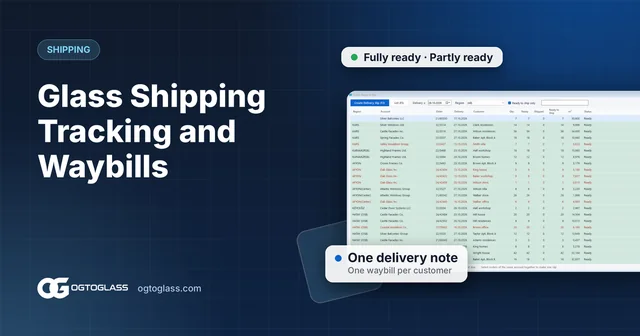
  • The ready-to-ship list separates fully ready, partly ready and overdue orders by colour.
  • Order statuses update automatically as goods ship: partly shipped / shipped.
  • All orders of the same customer on one dispatch note; the delivery note is printed and transferred to your accounting software.
Tempered glass software

What does tempered glass software do?

Mistakes are expensive with tempered glass: after tempering, glass cannot be cut, drilled or edged. The real job of tempered glass software is to record size and operations completely before the furnace and to show at any moment which station each pane is at.

As tempering software, OGTOGLASS brings tempered glass orders, station-by-station tempered glass production tracking, partial shipments and accounting transfer together in one program. The same program also handles insulated, laminated and processed glass orders.

Frequently asked questions

Tempered glass software: common questions

How does tempered glass software reduce mistakes before tempering?

Size, manufacturing allowance and operations such as drilling and sandblasting are recorded on the order, and the order form, production form and glass label are printed from the same data. Every change to the order is logged field by field, so you can see who changed what and when.

Can I see how much work is waiting in front of the tempering furnace?

Yes. The home screen shows work waiting at stations in m², and the station screen lists the glass waiting at the tempering station.

Can part of an order be shipped when it is ready?

Yes. Partly ready orders appear in a separate colour in the ready-to-ship list. After shipping, the order status changes automatically to "partly shipped" or "shipped".
Request a demo

Is it right for your company? Let's find out together.

We will give you a short demo using your own orders and plan the move from your current program.