

Frequently asked questions
Common questions
If your question is not here, write to us; we will give you a short demo using your own orders.
Do I need to install software for my dealers?
No. The link you send to a dealer opens in the browser on a phone or computer. The dealer does not need to create an account or enter a password.
Which accounting software does it work with?
OGTOGLASS integrates easily with any accounting software. Dispatch notes are transferred to accounting as delivery notes / invoices, and invoices taken into accounting are marked in the program.
Where is my data stored?
In a SQL Server database on your own server. There is no cloud requirement.
What happens to the data in my old program?
Customer accounts, products, prices, quotes and orders are transferred; numbering continues where you left off.
When a dealer orders through the link, does the order go straight into production?
No. The order lands on the "Awaiting Approval" screen. Once an authorised person checks and approves it, it becomes a regular order with that customer's prices.
Can the same link be used more than once?
No. Every link is single-use and expires after the period you set.
What if I delete a record by mistake?
Records are never deleted from the database. An administrator can restore them from the "Change Log" screen.
Which computers does it run on?
It is a desktop program for Windows 10 and Windows 11 computers. It can be used on several computers at the same time (number of users depends on the licence).
What is glass order software?
Glass order software is a program in which glass companies record quotes and orders with width, height, quantity, spacer, gas and extra operations; it calculates m² and linear metres automatically and follows each order from production to shipping and accounting. OGTOGLASS is a glass program that brings all of this together in one place.
Explore the features
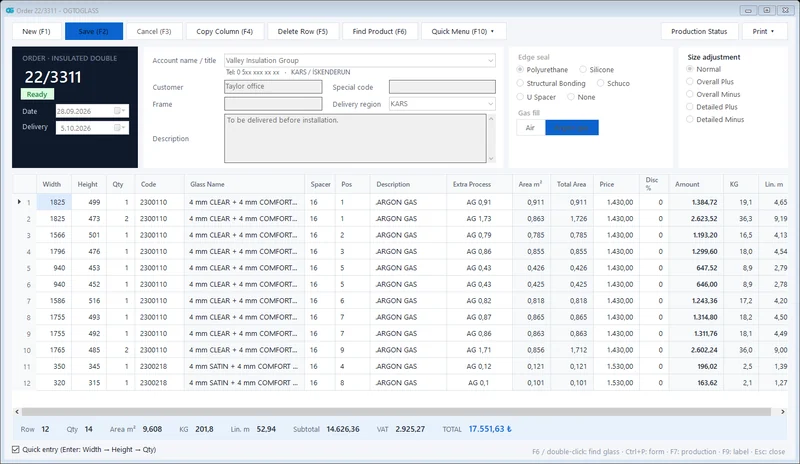 Order management
Insulated, single, laminated and processed glass orders; m², kg and amount calculated instantly.
Explore
Order management
Insulated, single, laminated and processed glass orders; m², kg and amount calculated instantly.
Explore
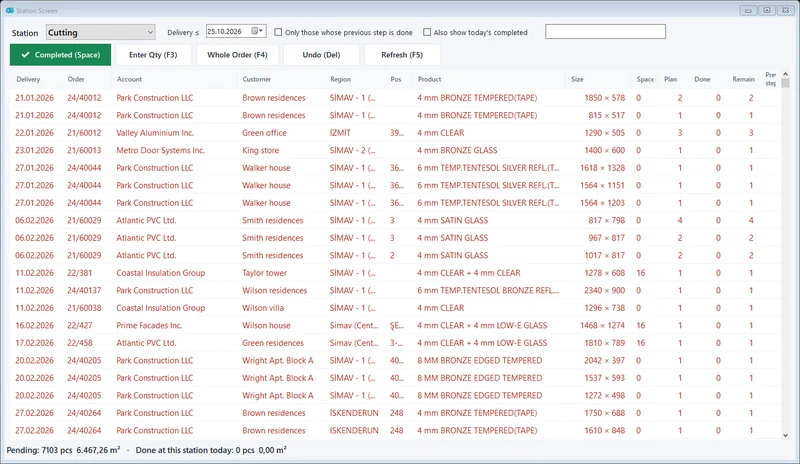 Production tracking
Cutting → edging → tempering → IGU assembly; which glass is at which station, at a glance.
Explore
Production tracking
Cutting → edging → tempering → IGU assembly; which glass is at which station, at a glance.
Explore
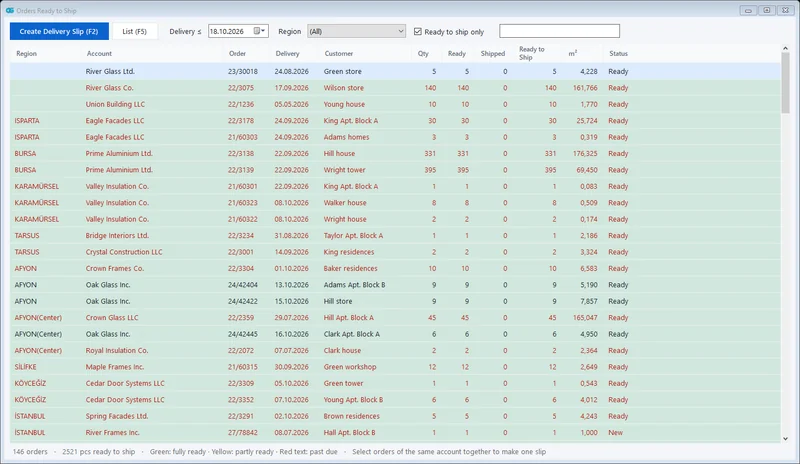 Shipping and delivery notes
Orders ready to ship in one list; all orders of the same customer on one dispatch note.
Explore
Shipping and delivery notes
Orders ready to ship in one list; all orders of the same customer on one dispatch note.
Explore
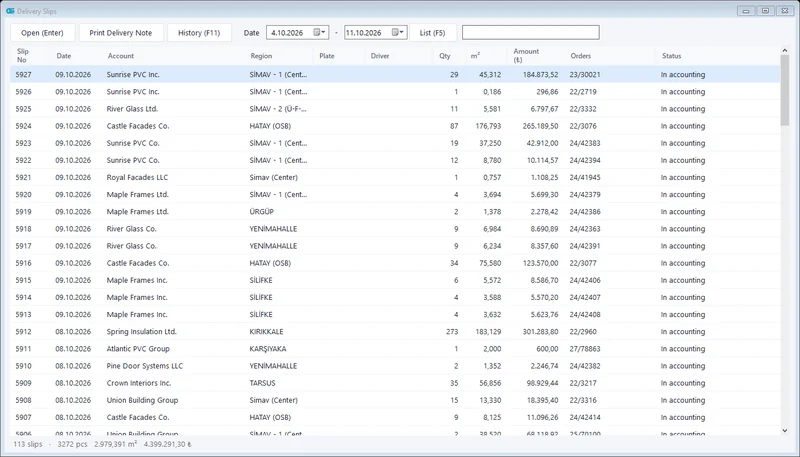 Accounting integration
Shipped glass is transferred to accounting as a delivery note / invoice; no more retyping.
Explore
Accounting integration
Shipped glass is transferred to accounting as a delivery note / invoice; no more retyping.
Explore
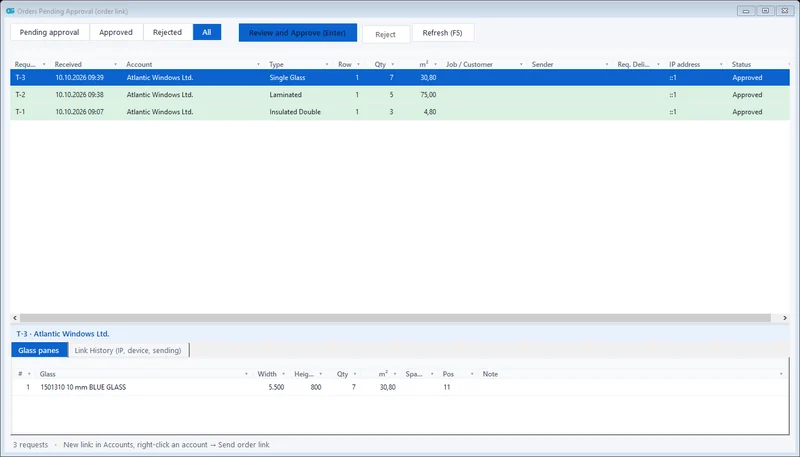 Dealer order link
With a single-use link, no login needed; the order lands in your approval queue.
Explore
Dealer order link
With a single-use link, no login needed; the order lands in your approval queue.
Explore
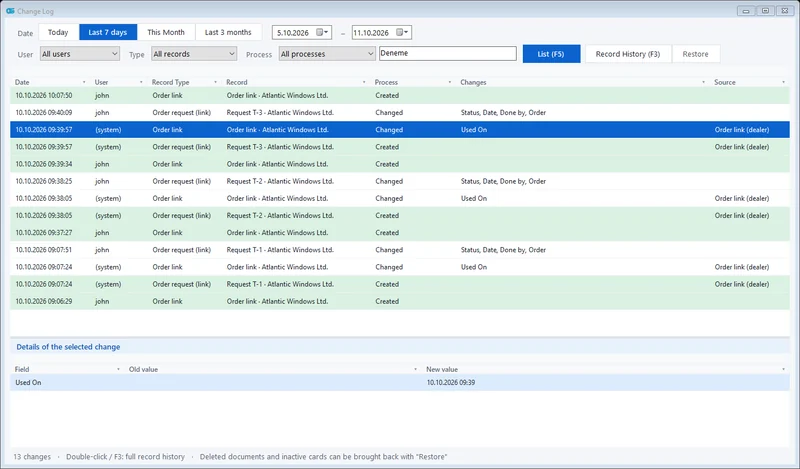 Change tracking and permissions
Who changed what and when; deleted records can be restored. Role-based users.
Explore
Change tracking and permissions
Who changed what and when; deleted records can be restored. Role-based users.
Explore
Is it right for your company? Let's find out together.
We will give you a short demo using your own orders and plan the move from your current program.