
Production
Glass Processing Software: Tracking Every Operation from Cutting to Shipping

For a glass processor an order is never just "this many panes at this size": there is edging, drilling, sandblasting and tempering, and each pane goes through those operations in its own order. Glass processing software is how you define those operations correctly on the order, see which pane is at which stage in the shop and follow it through to shipping. In this article we look at what glass processors actually need from their software.
Why a glass processor's work is different
For a company selling flat glass, m² and price are often enough. In a processing shop two panes on the same order can take completely different paths: one is just cut and edged, the other is drilled, sandblasted and tempered. You need to track:
- Which operations each pane goes through and in what quantity,
- Which station the pane is waiting at right now,
- Which panes can ship when an order is only partly ready,
- That every operation appears on the invoice.
Product card and route: every pane has its own path
In OGTOGLASS each product's production route is defined on the product card, for example cutting → edging → tempering → assembly. When an order is entered, panes reach the stations along that route. Glass processing orders have their own number series, separate from insulated, single and laminated glass orders, so they are easy to filter in lists and reports.
Drilling, sandblasting, edging: defining operations on the order
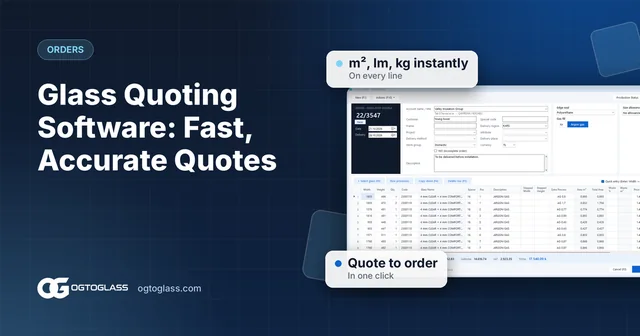
Extra operations are added to the order line and their quantities are calculated from the glass: by area (m²), perimeter (linear metres) or pieces. If the size changes, the quantity updates. The same quantity therefore appears on the quote, the order and the invoice. We explain the calculation with an example in our insulated glass order calculation article.
Cutting plan: least waste per sheet
Processing starts with cutting, and the sheet is the most expensive raw material. The OGTOGLASS cutting plan nests the panes of orders waiting for cutting onto sheets and prepares a Bottero cutting table file (.r01). For real waste and the offcut on the last sheet, see our glass cutting optimisation article.
Try the OGTOGLASS glass software
Let's define routes together using your own products and stations.
Station screen: which pane is where?
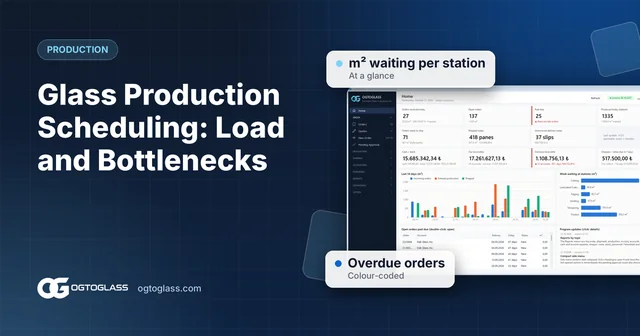
Each station opens a station screen listing the panes waiting there. The operator marks a pane as "done" with one key or enters a partial quantity. With "only those whose previous step is finished", a pane that has not been edged yet does not appear in the tempering list. The home screen shows work waiting at each station (m²) and daily output.
Shipping and invoicing
Finished panes move to the ready-to-ship list, where fully and partly ready orders are shown in different colours. Dispatch notes and delivery notes are printed, and dispatch notes are transferred to your accounting software or invoiced in the program with the pre-accounting package. Extra operations go with their own accounting codes.
Glass processing software checklist
- Can a production route be defined per product?
- Are extra operation quantities calculated from the glass?
- Does each station see its own waiting panes?
- Can partial production and partial shipping be tracked?
- Can the cutting plan be made from within the orders?
- Do all operations reach the invoice?
If you also produce insulated, tempered or laminated glass, see our insulated glass software, tempered glass software and laminated glass software pages, or request a demo.
Frequently asked questions
What is glass processing software?
Software that tracks the orders, operation quantities, production route and shipping of glass that goes through cutting, edging, drilling, sandblasting, tempering and similar operations. In OGTOGLASS, glass processing orders have their own number series.
Can each product have its own production sequence?
Yes. Each product's production route (e.g. cutting → edging → tempering → assembly) is defined on the product card, and panes reach the stations in that order.
Are extra operation quantities entered by hand?
No. They are calculated from the glass (area, perimeter or pieces) and updated when the size changes.
Do I need separate cutting optimisation software?
Not with OGTOGLASS: the cutting plan is built in and produces a cutting file for Bottero tables.
Try the OGTOGLASS glass software
We will give you a short demo using your own orders.