

Dealer order link
Let your dealers enter orders from their phones.
No software to install, no account, no password for the dealer. A single-use link opens on the phone and the order lands in your approval queue.
A simple, step-by-step form with large buttons
- They pick the glass type; their most used glass appears at the top, or they search by typing.
- They enter sizes in mm and choose the spacer and gas.
- They check the summary before sending.
- After sending, a request number is shown.
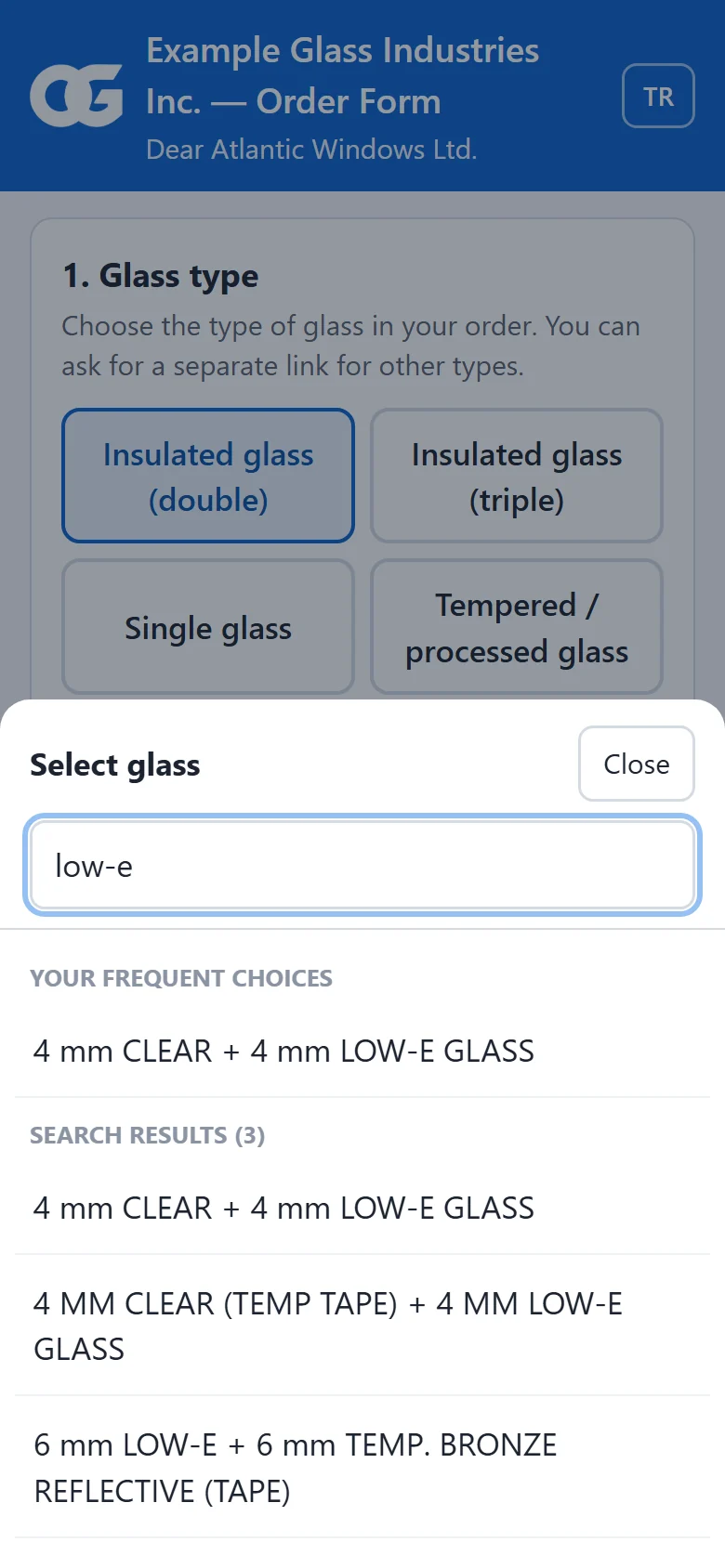
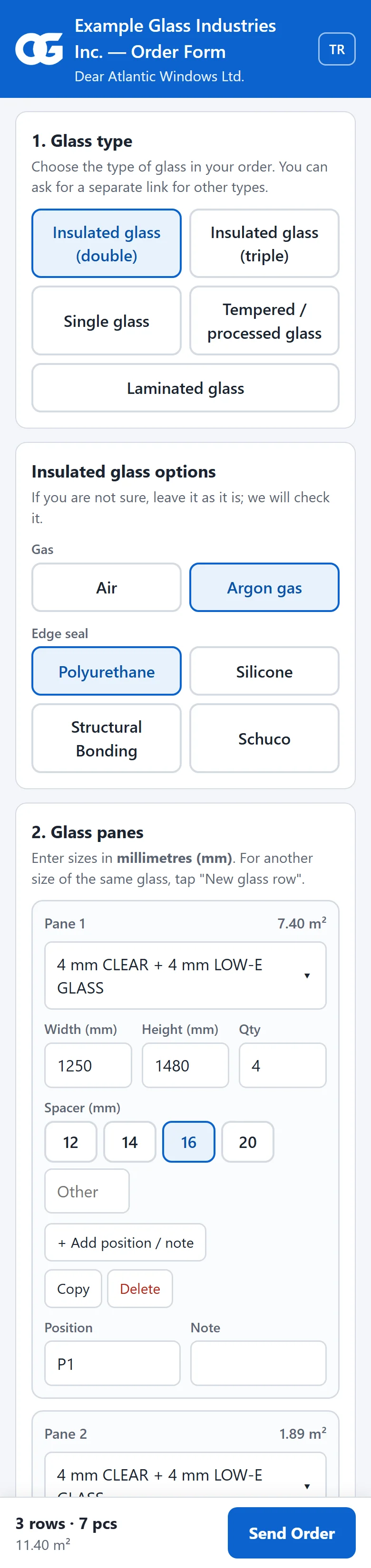
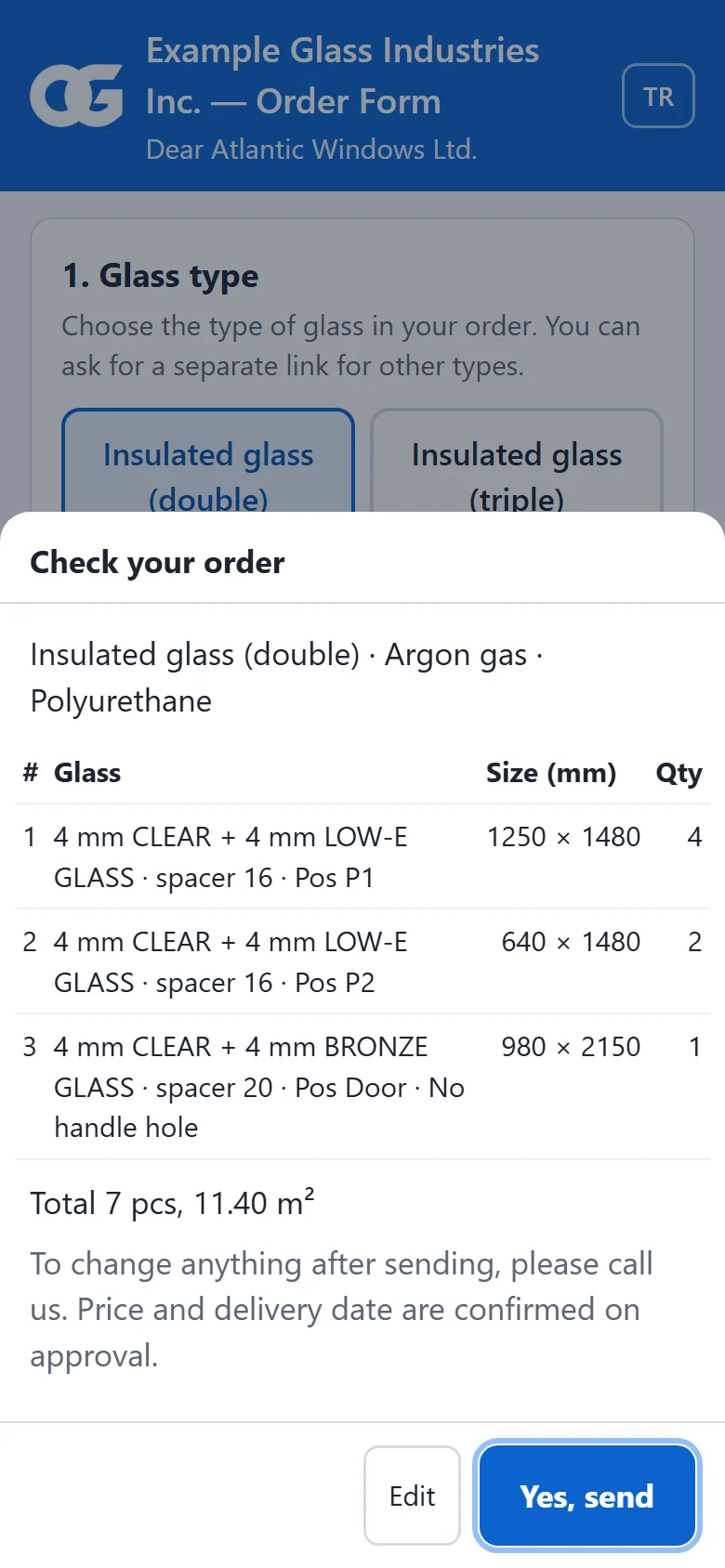
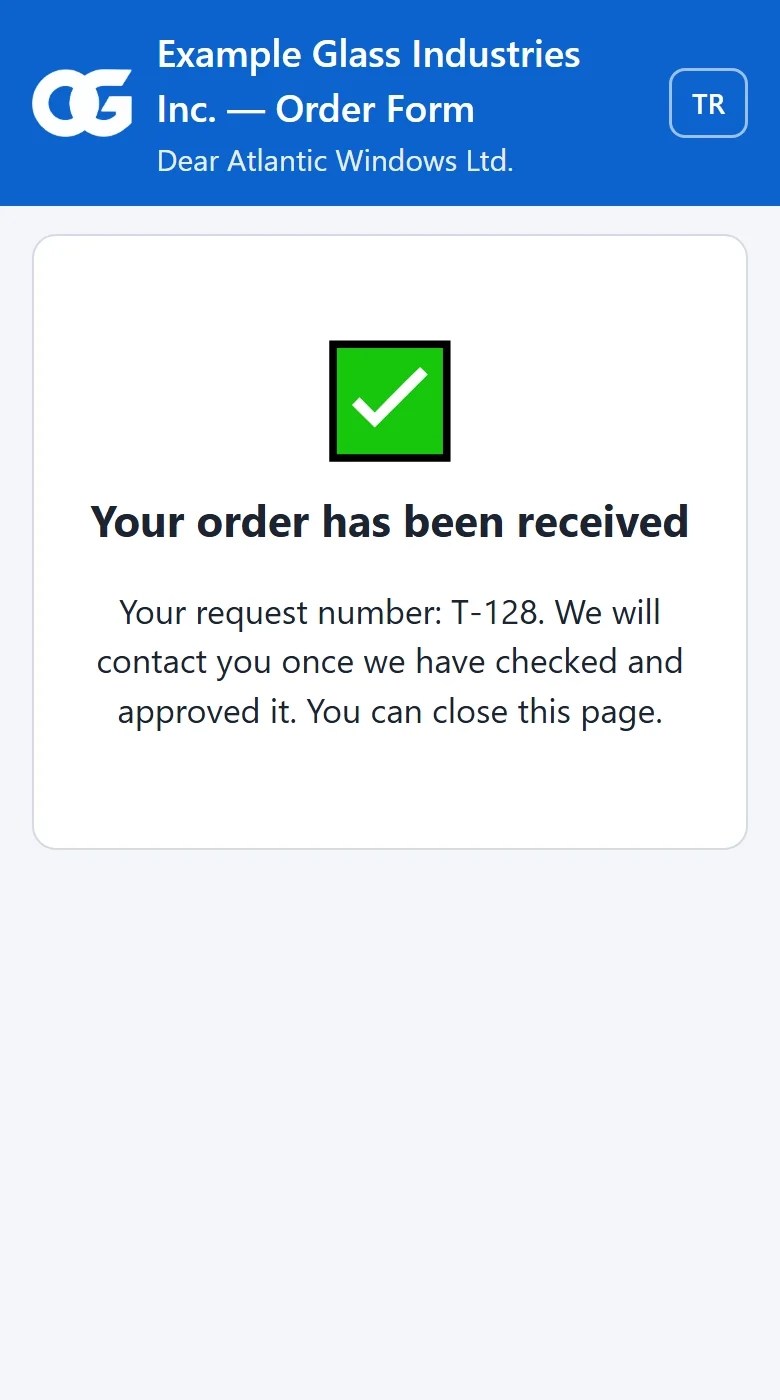
Right-click the customer: "Send order link"
A single-use link is created and sent with one click.
- Right-click the customer, "Send order link": a single-use link is created.
- Send the link with one click by WhatsApp or e-mail.
- The link is single-use and time-limited; it closes once the order is sent.
The order lands in "Awaiting Approval"
An order entered by a dealer does not go straight into production; you check it first.
- Once an authorised person reviews and approves it, it enters the system as a regular order with that customer's prices.
- If needed, it can be rejected with a reason.
Every step is recorded
- Who created the link and how it was sent.
- When the dealer opened it, from which IP address and on which device.
- Who filled in the form and who approved it.
About the dealer link
Do I need to install software for my dealers?
No. The link you send to a dealer opens in the browser on a phone or computer. The dealer does not need to create an account or enter a password.
When a dealer orders through the link, does the order go straight into production?
No. The order lands on the "Awaiting Approval" screen. Once an authorised person checks and approves it, it becomes a regular order with that customer's prices.
Can the same link be used more than once?
No. Every link is single-use and expires after the period you set.
More features
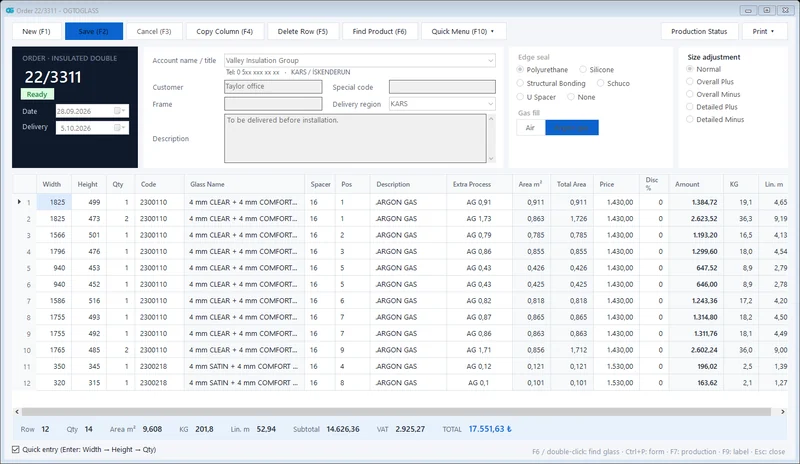 Order management
Insulated, single, laminated and processed glass orders; m², kg and amount calculated instantly.
Explore
Order management
Insulated, single, laminated and processed glass orders; m², kg and amount calculated instantly.
Explore
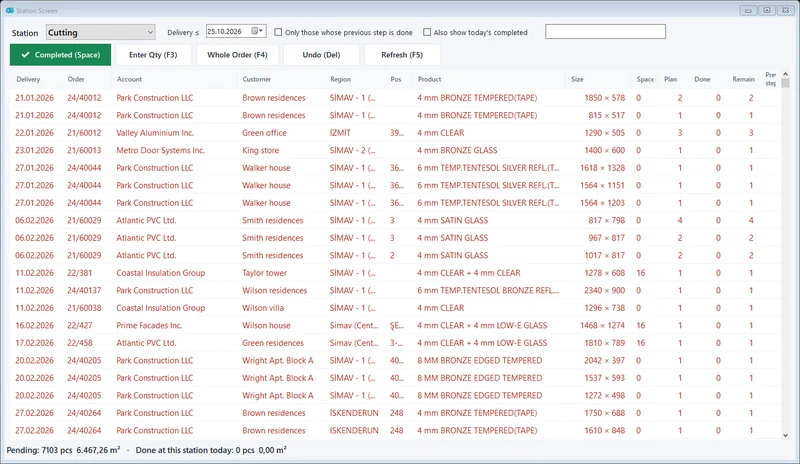 Production tracking
Cutting → edging → tempering → IGU assembly; which glass is at which station, at a glance.
Explore
Production tracking
Cutting → edging → tempering → IGU assembly; which glass is at which station, at a glance.
Explore
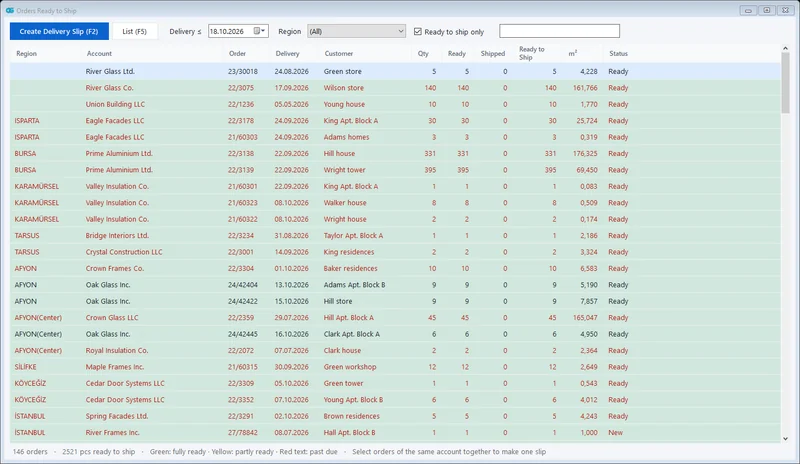 Shipping and delivery notes
Orders ready to ship in one list; all orders of the same customer on one dispatch note.
Explore
Shipping and delivery notes
Orders ready to ship in one list; all orders of the same customer on one dispatch note.
Explore
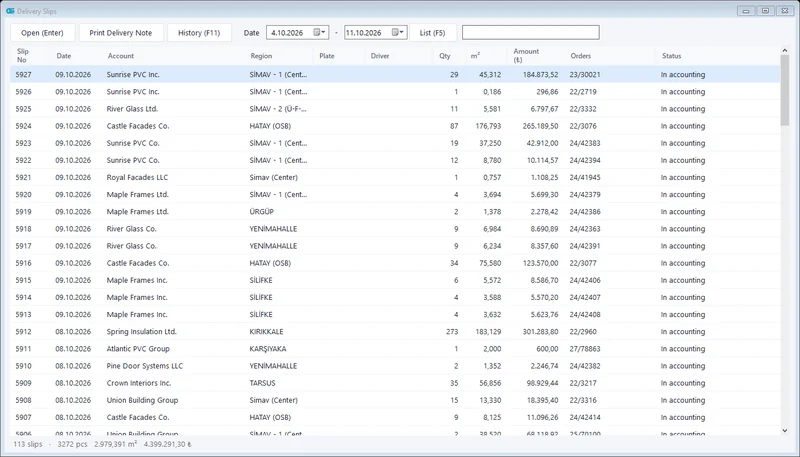 Accounting integration
Shipped glass is transferred to accounting as a delivery note / invoice; no more retyping.
Explore
Accounting integration
Shipped glass is transferred to accounting as a delivery note / invoice; no more retyping.
Explore
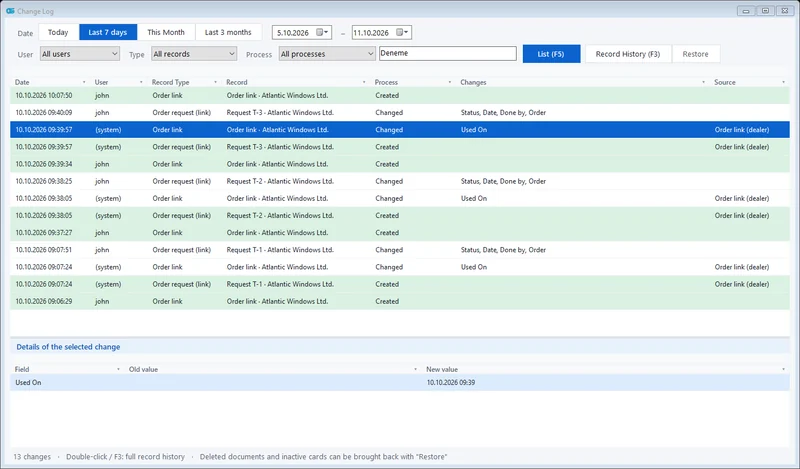 Change tracking and permissions
Who changed what and when; deleted records can be restored. Role-based users.
Explore
Change tracking and permissions
Who changed what and when; deleted records can be restored. Role-based users.
Explore
Is it right for your company? Let's find out together.
We will give you a short demo using your own orders and plan the move from your current program.