
Insulated glass
Insulated Glass Orders: Calculating m², Linear Metres, Weight and Extra Operations

The price of an insulated glass order is not set by the glass type alone: area, perimeter, the minimum m² rule, gas, edge sealant and extra operations are all calculated together. In this article we explain the logic of these calculations using a real order line and show how insulated glass order software does them automatically.
Example line: 4 mm float glass + 4 mm glass, 16 mm spacer, argon-filled insulated unit; width 1825 mm, height 499 mm, quantity 1. All the calculations below use this line.
Area (m²) calculation
Glass sizes are written in millimetres; area is calculated in square metres. The formula is simple:
Area (m²) = Width (mm) × Height (mm) ÷ 1,000,000
For the example line: 1825 × 499 ÷ 1,000,000 = 0.911 m². With a quantity of 2, the total area would be 1.822 m². The order's total m² is the sum of all lines and is the basis of both the price and production planning.
The minimum m² rule
For very small panes, labour and waste are not proportional to the glass area. That is why many companies apply a minimum m²: a pane whose area is below this value is priced at the minimum.
For example, if your company applies a minimum of 0.25 m², a 200 × 300 mm pane (0.06 m²) is charged as 0.25 m². When applied by hand, this rule is one of the most frequently forgotten items; on orders with many small panes the difference adds up to serious amounts.
Perimeter (linear metre) calculation
Linear metres are the length of the glass perimeter in metres:
Linear metres = 2 × (Width + Height) ÷ 1000
For the example line: 2 × (1825 + 499) ÷ 1000 = 4.65 linear metres. Quantities for operations applied to the edge of the glass, such as edge sealant and bonding, come from this value.
Weight (kg) calculation
Weight matters both for shipping (truck load) and for handling. For a rough calculation this is enough: 1 m² of glass at 1 mm thickness weighs about 2.5 kg.
A 4 + 4 mm insulated unit has a total glass thickness of 8 mm, so it weighs about 20 kg per square metre; for the example line, 0.911 × 20 ≈ 18.2 kg. Because the software calculates this from the product definition, the total weight of the order and the dispatch note is visible without adding it up by hand.
Extra operations: argon, bonding, Georgian bars
Extra operations are where insulated glass pricing goes wrong most often, because each quantity comes from a different dimension of the glass:
| Extra operation | Quantity based on | For the example line |
|---|---|---|
| Argon gas | Glass area (m²) | 0.911 m² |
| Bonding | Perimeter (linear metres) | 4.65 lm |
| Georgian bars | Horizontal bars × width + vertical bars × height | E.g. 2 horizontal, 1 vertical: (2 × 1825 + 1 × 499) ÷ 1000 = 4.15 lm |
| Holes, sandblasting, transport… | Quantity or area | Depends on the operation |
The real risk is that extra operation quantities are not updated when a size changes. When the customer says "the height will be 520, not 499", the area, linear metres, argon and bonding quantities all change. In a sheet kept by hand, one of them is easily forgotten.
Manufacturing size: plus / minus allowance
The order size given by the customer and the manufacturing size cut in the workshop are not always the same. Depending on the frame, the glass may need to be cut a few millimetres smaller or larger. The allowance can be given in two ways:
- Overall allowance: the same plus / minus value on every edge (e.g. −3 mm on each edge).
- Edge-by-edge (detailed) allowance: a separate value for each edge.
Whether the price is calculated from the order size or the manufacturing size also varies from company to company; the software needs to support both.
Try the OGTOGLASS glass software
Let us enter one of your own insulated glass orders together and see how the calculations come out.
How does insulated glass order software do these calculations?
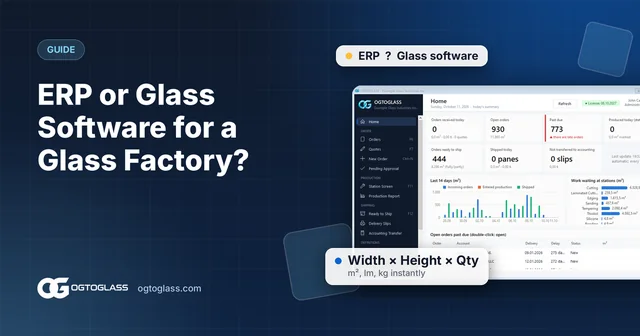
On the OGTOGLASS order entry screen, lines are entered in Width → Height → Quantity order without taking your hands off the keyboard. As you type:
- Area (m²), weight (kg), perimeter (linear metres) and amount are calculated instantly; the minimum m² rule is applied.
- Spacer, edge sealant (polyurethane, silicone, bonding…) and gas are selected.
- Argon is calculated from the area, bonding from the perimeter and Georgian bars from the bar count and size; when a size changes, the quantities update too.
- The manufacturing size is given overall or edge by edge; the price is taken from the order size or the manufacturing size.
- If the customer has an agreed price, it is filled in automatically.
When the order is saved, the same information flows to the production stations, then to the dispatch note and on to accounting; no calculation is ever done twice.
Frequently asked questions
How is m² calculated for insulated glass?
Multiply width by height in millimetres and divide by 1,000,000, then multiply by the quantity. For example, a 1825 × 499 mm pane is 0.911 m².
What are linear metres and why do they matter for insulated glass?
Linear metres are the length of the glass perimeter in metres: 2 × (width + height) / 1000. Quantities for perimeter-based operations such as edge sealant and bonding are calculated from it.
How is the amount of argon gas calculated?
The argon gas operation is calculated from the glass area (m²). When the size changes, the quantity must change too, so calculating it in software rather than by hand reduces the risk of errors.
Try the OGTOGLASS glass software
We will give you a short demo using your own orders.