
Guide
Which Reports Should a Glass Company Look At? 8 Reports and a Pivot Report Guide

A glass company is never short of data: every day produces hundreds of order lines, station records, dispatch notes and invoices. What is missing is reading that data regularly, even once a month. In this article we go through the 8 reports a glass company manager should check every month, and how to build a pivot report when the one you need is not ready-made.
Plenty of reports, few readers
Reports go unread for two reasons: getting them is a chore (export to Excel, tidy up, add up), or they do not answer the question. In OGTOGLASS the Reports menu is organised by topic (orders, shipping, production, sales and invoices, accounts and aging, cash and income-expense, cheques / notes, stock, staff / timesheets, pay / advances) and each opens with ready-made templates.
1. Monthly m² sales by customer
Question: Who buys how much, and who is slipping? Seeing m² and amount side by side in a customer × month table lets you spot a dealer who stopped ordering right away, not months later. In the advanced report this table is a ready-made template.
2. Product profitability
Question: Which glass earns money? The product profitability report shows each glass type's sales, cost at average purchase price, gross profit and margin. Products without purchases are flagged, so sales with unknown cost do not slip through. (Pre-accounting package)
3. Production by station
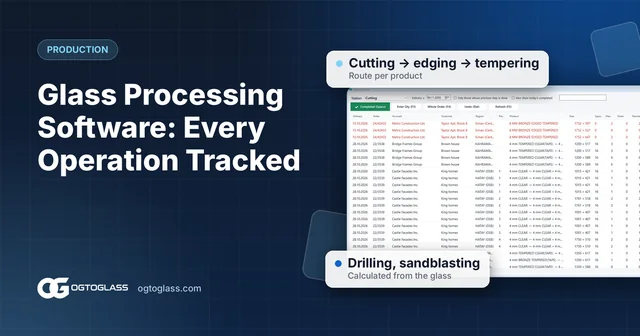
Question: Where is the bottleneck? The production report gives quantity and m² by station and day, and the home screen shows work waiting at each station in m². If work piles up at cutting while the tempering furnace sits idle, the plan needs to change. More: glass production tracking.
4. Overdue orders
Question: Who are we keeping waiting? The home screen's "overdue open orders" list is sorted by days late, and overdue orders are colour-coded in the order list too. At month end, the length of this list tells you whether production capacity and delivery promises are realistic.
Try the OGTOGLASS glass software
Let us see together which reports your own data would produce.
5. Aging analysis
Question: Where is the money stuck? Open receivables in not yet due / 1–30 / 31–60 / 61–90 / 90+ day buckets. In-depth guide: receivables and collection tracking. (Pre-accounting package)
6. Cash flow
Question: Will the money last over the coming weeks? Expected collections, payments and cash / bank balance for the next 12 weeks; the week with the lowest balance. (Pre-accounting package)
7. Income / expense
Question: Did we really make a profit this month? Sales, purchases and expenses by item and month; net profit and margin. When expenses (rent, electricity, fuel, wages) are entered regularly, this becomes the report management looks at most. (Pre-accounting package)
8. Timesheets and overtime
Question: Where is the overtime going? The monthly timesheet totals show days worked, leave, sick days, absences and overtime hours per person. A department with constantly high overtime should be read together with the bottleneck in the station report. (Staff / Timesheet package — details)
Building your own report: the pivot report
If the report you need is not ready-made, build it yourself with the advanced report:
- Choose the data: for example "Order and quote lines" and a period (last 3 months).
- Drag a field to rows: customer, product group or station.
- Drag a field to columns: order date · month, glass type or day.
- Drop the field to total into values: m², amount, quantity.
- Add a filter: for example document type = order.
- Save the report as a template and export it to Excel if needed.
Example combinations: customer × month, product group × glass type, station × day.
Frequently asked questions
What is a pivot report?
A report that places data fields (customer, month, product group, glass type, station…) on rows and columns and shows totals (m², amount, quantity) where they meet. In OGTOGLASS's advanced report you build it by dragging and dropping fields and save it as a template.
Can reports be exported to Excel?
Yes. Ready-made reports, lists and advanced report results can be exported to Excel.
Are all of these reports in the core program?
Order, production and shipping reports are in the core program. Aging analysis, cash flow, income / expense and product profitability come with the Pre-accounting package; timesheet reports come with the Staff / Timesheet package.
Try the OGTOGLASS glass software
We will give you a short demo using your own orders.