
Dealers
The Easy Way to Take Glass Orders from Dealers: An Order Link on Their Phone

Glass orders from dealers often arrive by phone, as a photo of sizes written on paper or as long messages. Someone at the office retypes them, and a misread size is only noticed in the workshop. In this article we explain how a single-use order link working as dealer order software changes this process.
The cost of orders by phone and message
- Retyping: every size the dealer gives is typed a second time at the office; the workload doubles.
- Reading errors: when a 1 and a 7, or a 5 and a 6, get mixed up in a photo of handwriting, the glass is cut wrong.
- Missing information: the spacer or gas was not specified, so the dealer has to be called again.
- No trail: in an "that's not what I said" argument, there is no record to look at.
How does the dealer order link work?
- Create a link: in OGTOGLASS you right-click the customer and choose "Send order link"; a single-use, time-limited link is created.
- Send it: you send the link to the dealer with one click by WhatsApp or e-mail.
- The dealer enters the order: without logging in, the dealer enters the order from their phone using a simple form.
- You approve it: the order lands in "Awaiting Approval"; once approved it becomes a regular order with that customer's prices.
What the dealer sees
The form the dealer sees is designed for the phone: large buttons and a step-by-step layout.
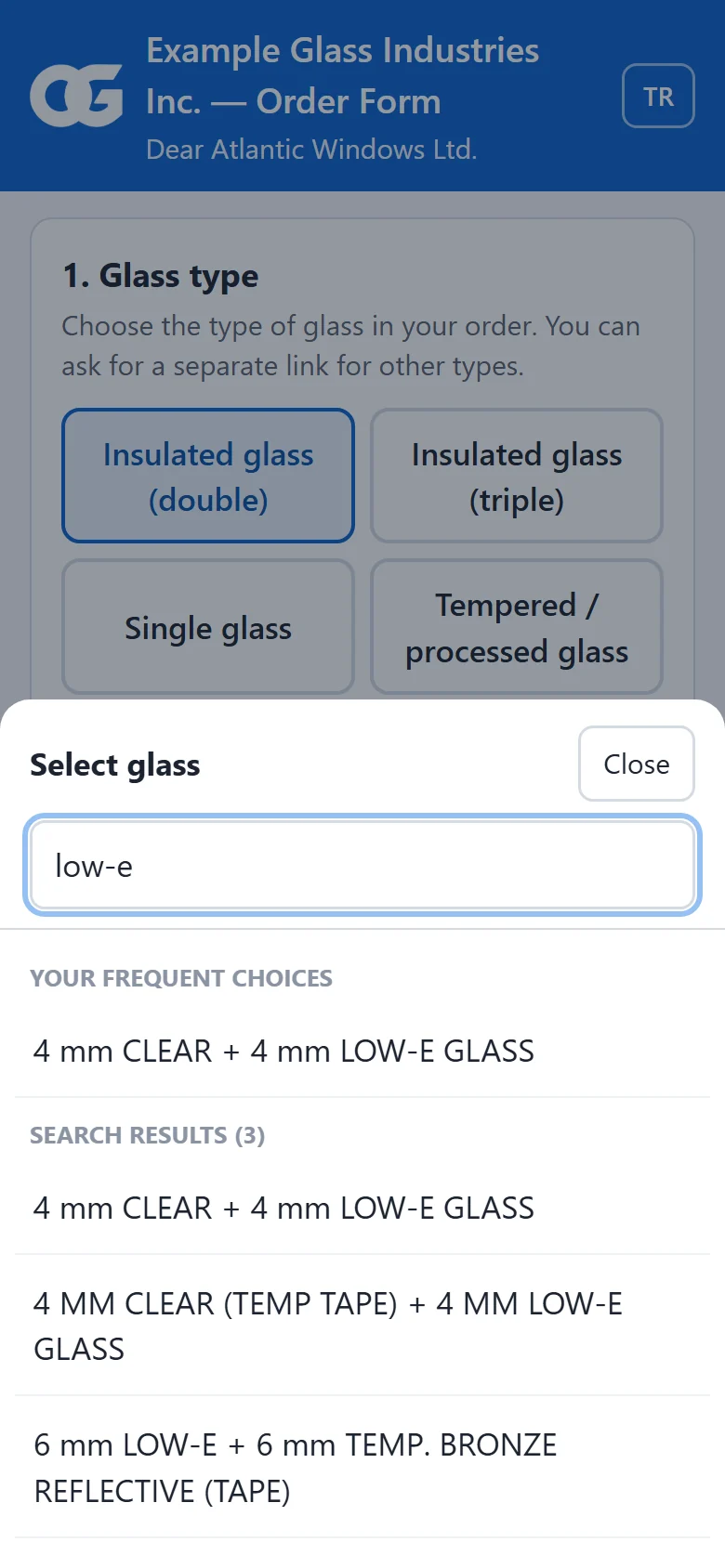
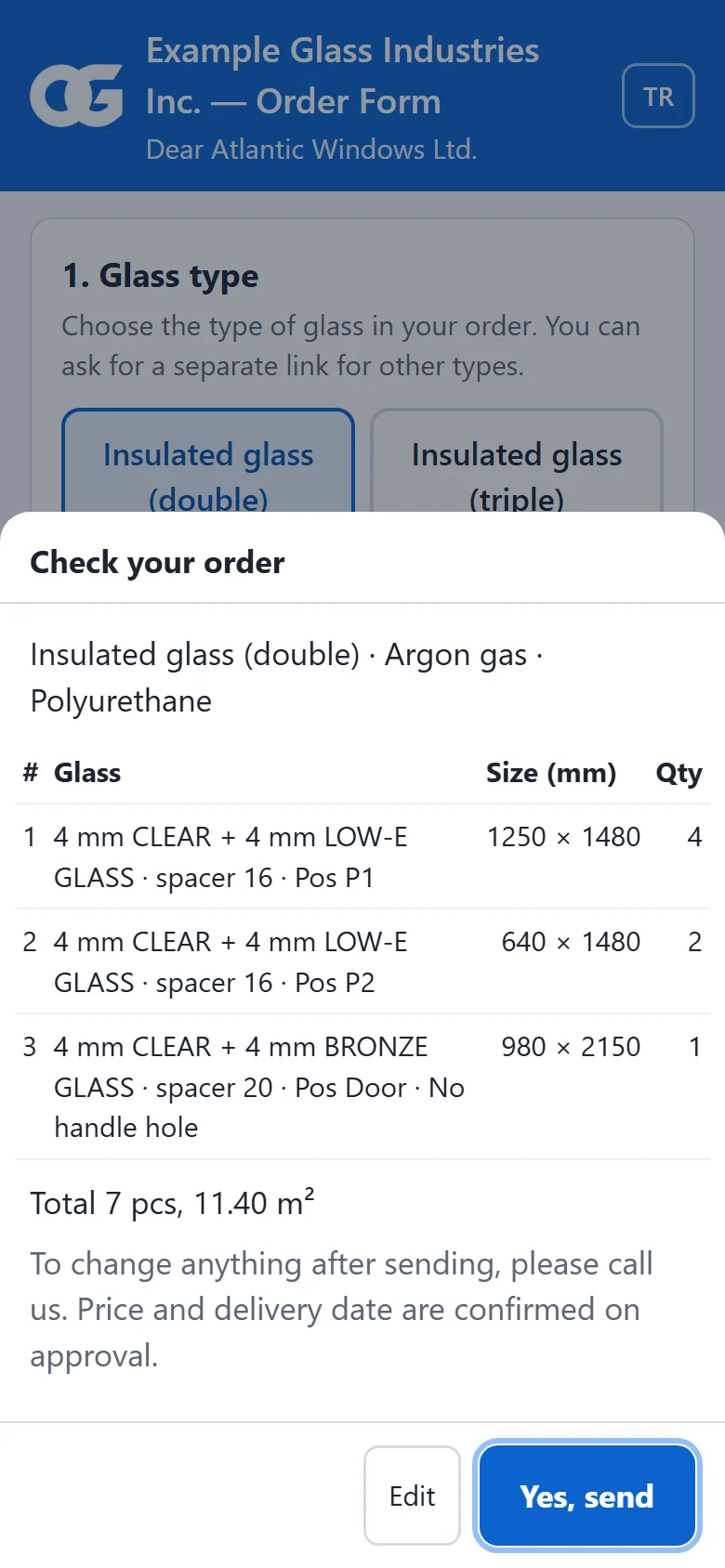
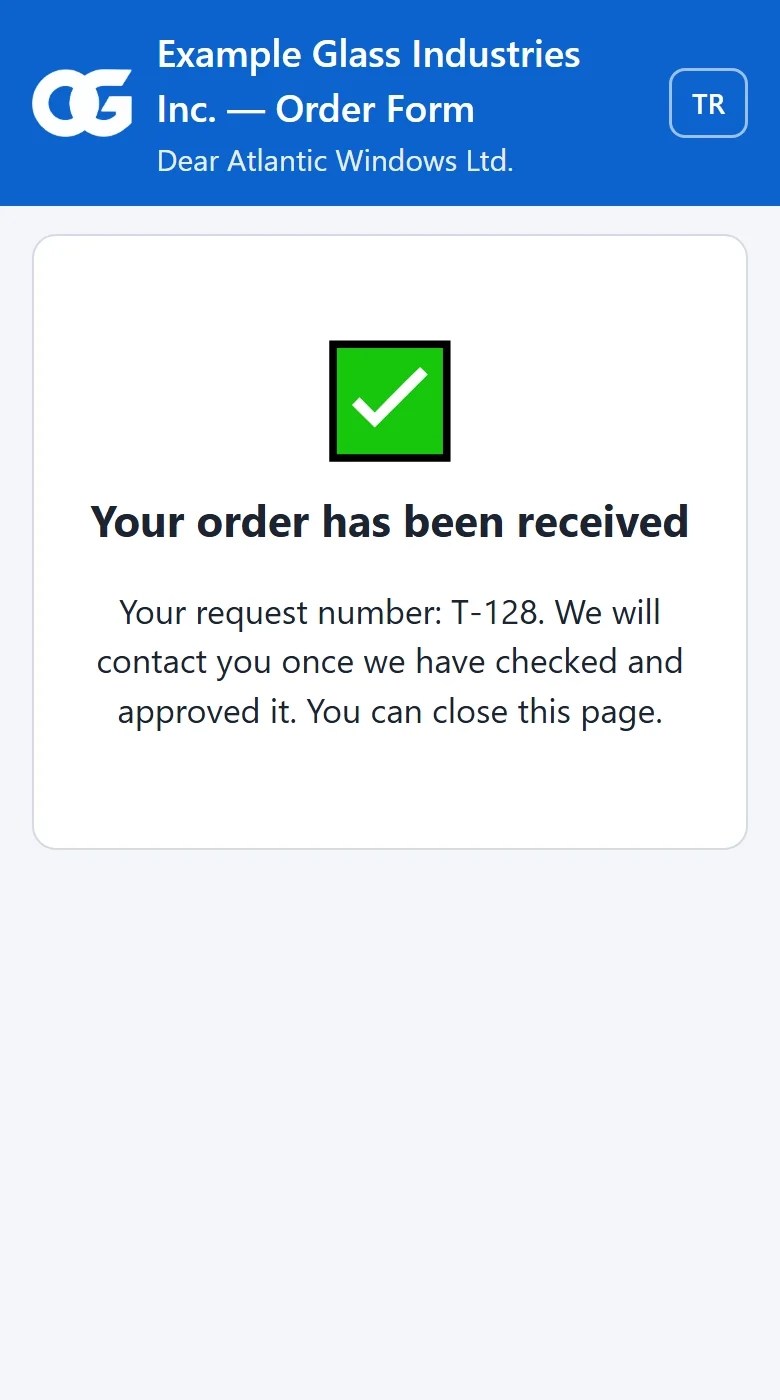
- They pick the glass type; their most used glass appears at the top, or they search by typing.
- They enter sizes in mm and choose the spacer and gas.
- They check the summary before sending; after sending they see a request number.
Approval: no order goes into production without you
An order entered by a dealer does not go straight to production. On the Awaiting Approval screen an authorised person reviews it; once approved, it enters the system as a regular order with that customer's prices and reaches its production route. If it is not suitable, it is rejected with a reason.
Try the OGTOGLASS glass software
Let us create the link for one of your dealers together.
Security and audit trail
- The link is single-use and time-limited; it closes once the order is sent.
- Who created the link and how it was sent are recorded.
- You can see when the dealer opened the link, from which IP address and on which device.
- Who filled in the form and who approved the order are kept in the change history.
Introducing the link to your dealers
- Send the first link when the dealer is ready to order; fill in the form together once.
- Tell them their frequently used glass will appear at the top of the list; show them the search box.
- Ask them to check the summary screen before sending.
- Let the dealer know when you approve the order; talking in terms of the request number speeds things up.
Frequently asked questions
Does the dealer need to install software to place an order?
No. The link sent to the dealer opens in the browser on a phone or computer. There is no need to create an account or enter a password.
Does an order entered by a dealer go straight into production?
No. The order lands on the "Awaiting Approval" screen. Once an authorised person reviews and approves it, it becomes a regular order with that customer's prices; if needed it can be rejected with a reason.
Can the same link be used again?
No. Every link is single-use and expires after the set period; it closes once the order is sent.
Try the OGTOGLASS glass software
We will give you a short demo using your own orders.