
Laminated
Laminated Glass Production Tracking: Heavy, Custom-Sized Glass from Order to Shipping

Laminated glass joins two or more panes with an interlayer into a thick, heavy and often custom-sized product. Because it is used for safety glazing, balustrades, façades and shop fronts, there is little room for error and delivery dates are critical. In this article we explain how to bring order to laminated glass production tracking from order to shipping.
Why is tracking laminated glass different?
A laminated pane may be one line on the order, but in production it is made by bringing together several panes and an interlayer. That makes tracking harder:
- The same product comes in different thickness and interlayer combinations (e.g. 4+4, 5+5, 6+6),
- The panes are thick and heavy; handling, racks and vehicles are planned by weight,
- If operations that must come before lamination get mixed up with those after it, work comes back,
- Laminated orders can get lost among insulated and single glass orders.
Defining laminated products correctly
The first step to proper tracking is defining the product properly. In OGTOGLASS, product cards are organised as type → subgroup → detail group → product; every product has a code and prices. When you define your laminated products as separate products by thickness and interlayer combination, both order entry and reports become clear.
Laminated quotes and orders also keep their own number series, so they do not mix with insulated and single glass orders.
Laminated glass orders: size, weight and amount
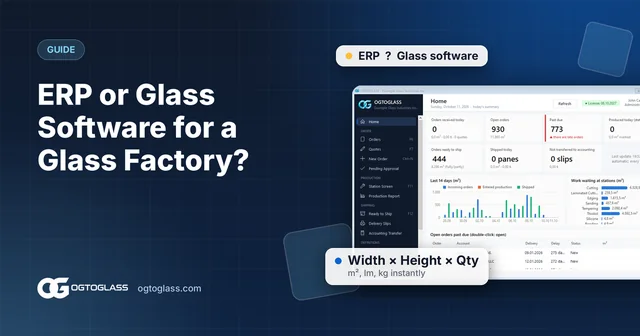
The order line is entered as width × height × quantity; area (m²), weight (kg) and amount are calculated as you type and the minimum m² rule is applied. If the customer has a special price, it comes in automatically. The manufacturing size can be defined with an overall or edge-by-edge plus / minus allowance; extra operations such as drilling and sandblasting are added to the line and their quantities are calculated from the glass.
Having the weight ready on the order is especially important for laminated glass: it is clear at order time how much load goes on which rack and which vehicle. The order form, manufacturing form and glass label are printed from the same information.
The route and stations of laminated glass
Every company's laminating line is different; in OGTOGLASS stations and routes are defined to match your own setup. An example laminated route:
- Cutting
- Lamination
- Edging
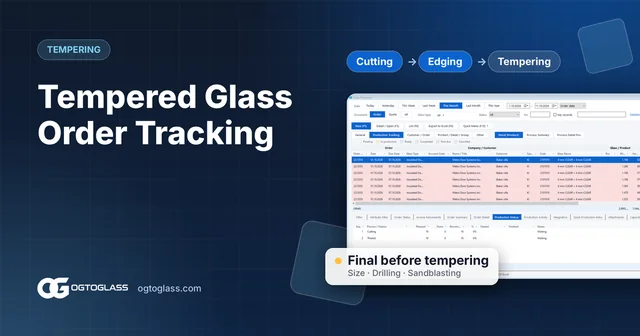
If you produce tempered laminated glass, the tempering step comes before lamination. When the order is saved, the panes drop onto the first station of the route; each operator sees only the panes waiting at their own station and marks them "done" with one key or enters the finished quantity. The "Only items whose previous step is finished" option keeps panes whose previous step is not done from appearing at the next station. We cover the tempering side in our tempered glass order tracking article.
Seeing which stage an order is at
With laminated orders the customer usually asks "when will it be ready?". The production status tab of the selected order shows how many panes are waiting at which station and how many are done. The home screen summarises the work waiting at each station in m², so you can see at a glance whether work is piling up in front of lamination.
The production report gives pieces and m² by station and day, so the daily and weekly output of the laminating line is tracked with data.
Shipping heavy glass
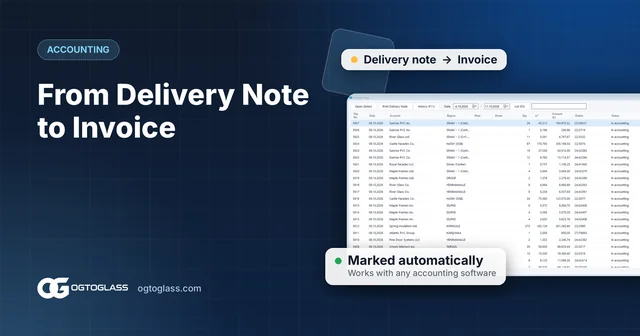
Laminated panes leaving production drop onto the ready-to-ship list; fully and partly ready orders are separated by colour. Orders of the same customer account are combined on one delivery note, which holds the region, vehicle plate and driver, and the waybill is printed. Delivery notes are then transferred to your accounting software. See our glass shipping tracking article for details.
Try the OGTOGLASS glass software
Let us define your laminated products and route and try them with your own orders.
5 tips for laminated glass production
- Make each combination a separate product. Define thickness and interlayer options such as 4+4 and 5+5 as separate product cards; reports will split the same way.
- Build the route around your real line. Tempered laminated and plain laminated glass should have different routes.
- Plan processing before lamination. Make it clear in the route which operation happens at which step.
- Use weight in shipping plans. The kg figure on the order makes vehicle and rack planning easier.
- Put the delivery date on the order. Overdue orders stand out on the ready-to-ship list, so delays are seen before the customer calls.
Frequently asked questions
How is laminated glass production tracked?
The laminated product is defined as a production route using the stations your company works with (for example cutting, lamination, edging). When the order is entered, the panes drop onto the stations along this route; each station marks the panes it completes and the office sees which stage the order is at.
Can laminated glass orders have their own numbering?
Yes. In OGTOGLASS, insulated glass, single glass, laminated glass and glass processing orders and quotes use separate number series.
Why does the weight of laminated glass matter?
Laminated glass is thick and heavy; racks, vehicle loading and installation are planned by weight. OGTOGLASS calculates the weight (kg) on the order line automatically together with area and amount.
Try the OGTOGLASS glass software
We will give you a short demo using your own orders.